Guide
Prepare the text
Main keyword: prepare text for AI checker. This is an educational guide, not a hands-on test and not a paid ranking. Sources were checked on 2026-11-18 unless a citation says otherwise.
Use enough of the relevant passage
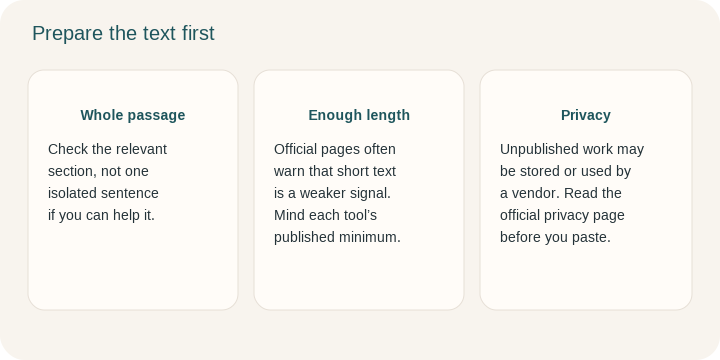
Official pages repeatedly treat short text as weaker evidence. OpenAI said its 2023 classifier was “very unreliable on short texts (below 1,000 characters)” and that even longer texts could be mislabelled. Sapling’s official detector page says the tool “becomes much more accurate after 50 or so words,” and that shorter, more general, or more essay-like text is more likely to produce a false positive. Scribbr’s official FAQ recommends scanning longer pieces rather than isolated sentences or paragraphs. QuillBot’s official page asks for at least 80 words. Originality.ai’s official site states a 100-word minimum.
In practice: check the section you actually care about — a complete answer, a full article, or a clearly defined excerpt — not a single sentence pulled out of context if you can avoid it. If a free official tool only covers the first 2,000 characters, as Sapling’s official page says its free check does, record that you checked a slice, not the whole file.
Watch official limits and editing tools
Each official checker has its own published cap. Scribbr’s official page limits a submission to 1,200 words. GPTZero’s official homepage scan box, on the day we opened it, showed a 10,000-character field. Copyleaks’ official page advertised a free scan of up to 25,000 characters and limited free credits for new users. Pangram’s official homepage advertised 20 free credits daily. Confirm the live limit on the official page before you treat a result as complete.
Also notice what happened to the text before the check. Originality.ai’s official site says tools that use AI to rewrite or edit copy — the page gives some Grammarly features as an example — can cause false positives. Grammarly’s official user guide says Grammarly’s own generative rewrites can raise its detector score, because those rewrites come from an LLM. Copyleaks’ official detector page likewise notes that certain platforms, like Grammarly, can be flagged. If the passage has been through an AI rewrite tool, write that down in the check record.
Privacy before you paste
Unpublished student work, job applications, and draft journalism can be sensitive. Official privacy practices differ. Scribbr’s official detector page says it does not store or share submissions. Other official sites may store dashboard inputs, use text to improve a service, or offer an opt-out — you have to read the official privacy page for the tool you are about to use. This site cannot guarantee how a vendor will handle text you paste.
If you are not allowed to paste the work into a third-party tool, stop and follow your institution’s or employer’s rule. A workflow is not a reason to ignore a data policy.
Frequently asked questions
Can I check just the paragraph that “sounds like AI”?
A short slice is a weaker signal, according to official pages cited here. If you only check one paragraph, record that limit and do not treat the result as a judgement of the whole document.
Should I run the text through a grammar tool first?
Only if that is normal for the work. Official pages warn that some AI editing or rewrite features can themselves affect a detector score. Record any such tools you used.
Sources checked for this guide
- OpenAI, “New AI classifier for indicating AI-written text” (31 January 2023; withdrawn 20 July 2023). Checked on 2026-11-18.
- Sapling official AI detector page. Checked on 2026-11-18.
- Scribbr official AI Detector page. Checked on 2026-11-18.
- QuillBot official AI Detector page. Checked on 2026-11-18.
- Originality.ai official homepage. Checked on 2026-11-18.
- GPTZero official homepage. Checked on 2026-11-18.
- Copyleaks official AI Detector page. Checked on 2026-11-18.
- Grammarly Support, “AI Detector user guide”. Checked on 2026-11-18.
- Pangram official homepage. Checked on 2026-11-18.
Related guides
- Run two or three different checkers — Use official websites, the same prepared text, and two or three tools. Record each result in the vendor’s own wording.
- Handling a possible false positive — If a flag may be wrong, keep the official results, look at process evidence, and give the writer a fair response path. A second checker is context, not a counter-proof.
- Documenting a check — A short written record keeps a check fair and honest: what you ran, what the official sites said, and that a score was not used alone.
All guides · All sources · How we review · Tools we point to